 DeltaExecutorApp
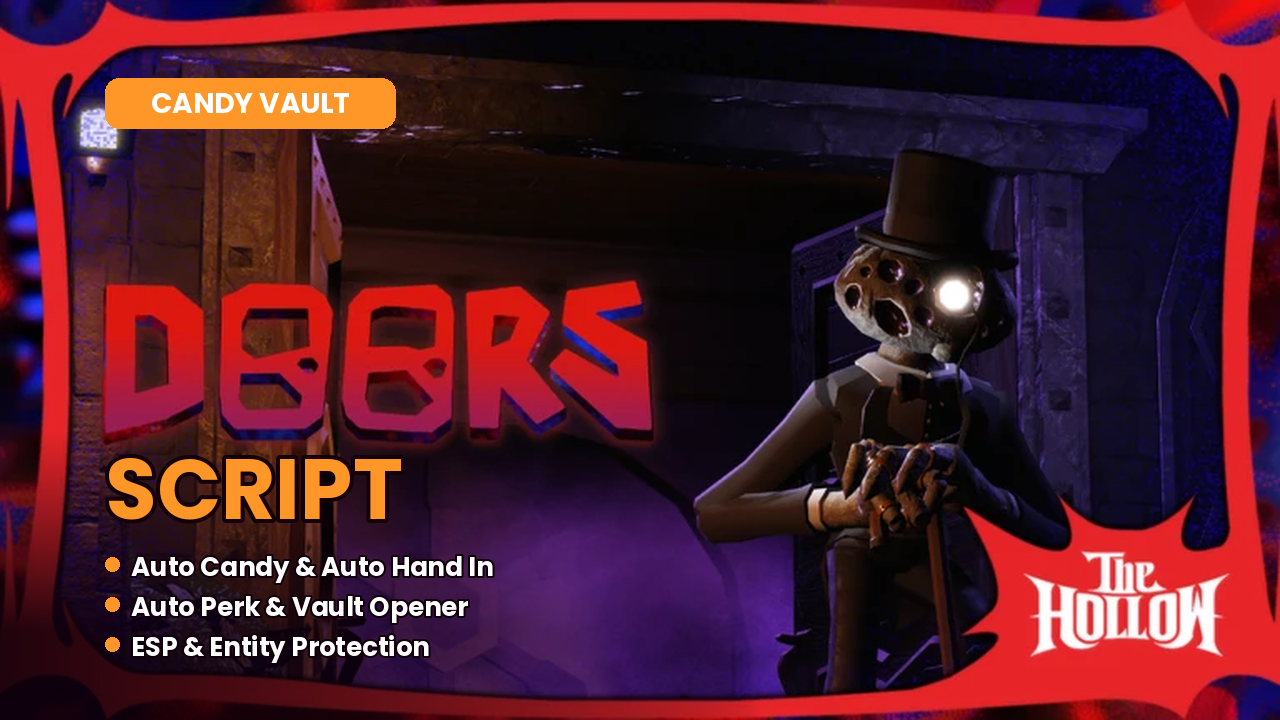
🎃 The Hollow • 🍬 Candy Vault • Auto Candy • Auto Hand In • Auto Perk • Candy Vault Opener • ESP • 📱 Mobile • 💻 PC
DOORS just joined The Hollow event, and you are invited to the Estate. It belongs to Sir Abraham Griefer II, and he has locked his candy inside the Candy Vault. You walk through his creepy rooms, solve his puzzles, and fill your bag with candy while Abe keeps watching you. Reach the end, and you win the free All-Seeking Antlers, the event badge and 10 Hollow tickets. Sounds fun, right? But it is not easy.
The old monsters are still waiting too. The lights flicker, and Rush comes roaring down the hall, so you hide in a closet and hold your breath. Seek’s eyes open on the walls before he chases you, and Figure hears every wrong step. One mistake, and your run and your candy are gone. I know how much that hurts, especially when the event won’t last forever.
This is where a DOORS Script helps. Auto Candy collects the candy for you, and Auto Hand In drops it into the cauldron. Auto Perk buys perks with your candy, and the script can even crack the Candy Vault dial for you. ESP shows candy, keys and chests through walls, and entity alerts warn you when a monster is coming. Path to Next Door shows you the way out of every room, so you can grab your Antlers before the event ends.
I tested every script on this page myself on Delta Executor and turned on each feature one by one to see what it really does. I did the hard part, so you don’t have to. Just follow my steps, and I’ll help you get through the Estate and win.
Latest DOORS Scripts
Here are the latest and working DOORS scripts for The Hollow event. I tested each one myself, so you can see exactly what it does before you use it.
The Hollow DOORS Script (NO KEY) 🎃 Auto Candy, Auto Cauldron, Auto Perk & ESP!
No KeyThis is the first script I tried, and it is made just for the Candy Vault. It collects candy for you, drops it into the cauldron, buys perks, and even cracks the vault dial on its own. It also shows you where candy, chests and skeleton keys are, and warns you when a monster is coming. It needs no extra key, only your normal Delta key.
How to Get Your Delta Key (Step by Step With Pictures)
Before you can run any Roblox script like Steal an Egg, Delta needs a free key. It looks scary at first because of all the pop-ups and ads, but don’t worry. I’ll walk you through it. Just follow me one step at a time.
- Step 1: Open Delta in DOORS
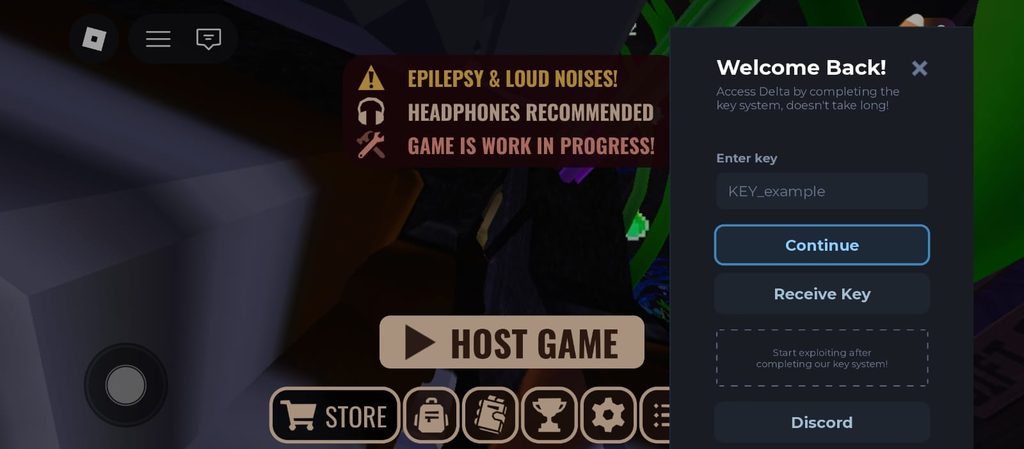
First, install Delta Executor on your phone. Then join DOORS and open Delta. A window called “Welcome Back!” shows up. It has a box that says Enter key, and buttons for Continue, Receive Key and Discord. Tap Receive Key.
- Step 2: Open the Delta Key Page
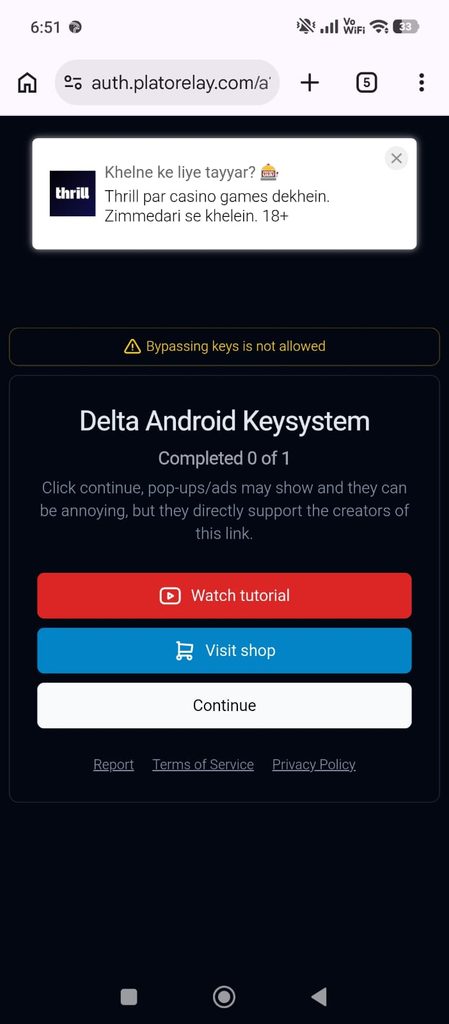
- Your browser opens the Delta Android Keysystem page. It says “Completed 0 of 1”, which means you have one step to finish. Tap the white Continue button. The page also says “Bypassing keys is not allowed,” so just do it the normal way.
- Close any pop-up ads that appear.
- Step 3: Finish a Task
- Now you see a page called “Complete Tasks to Continue.” It shows a few tasks, like a quick survey or watching a video until the end. Finish a task, and the Claim Reward button at the bottom will unlock.
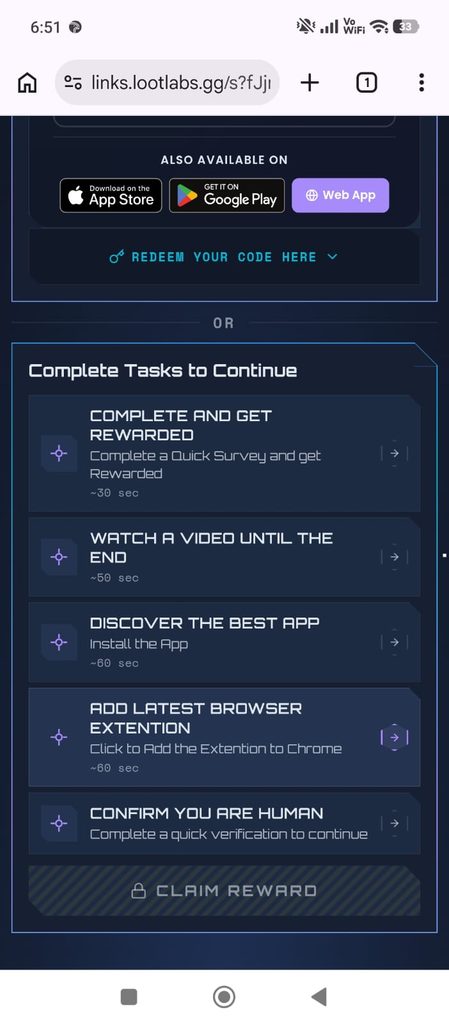
- Step 4: Close the Pop-Up Ads (Very Important!)
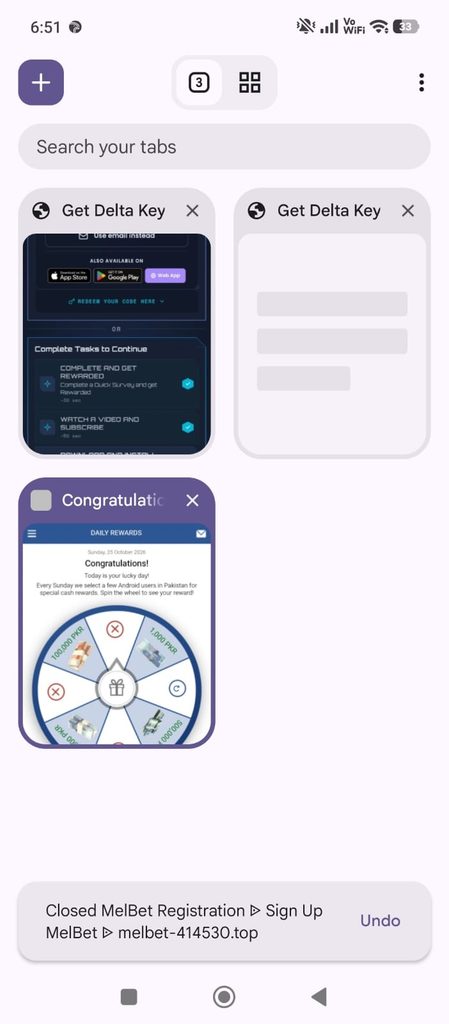
- While you do this, many pop-up ads will open in new tabs. In my test, I saw:
- a spin wheel promising 500,000 PKR
- a “You’re the winner!” message
- a “10 seconds to earn your bonus” page
- a quiz about earning money online
- a betting site sign-up
- a page that showed my IP address and location
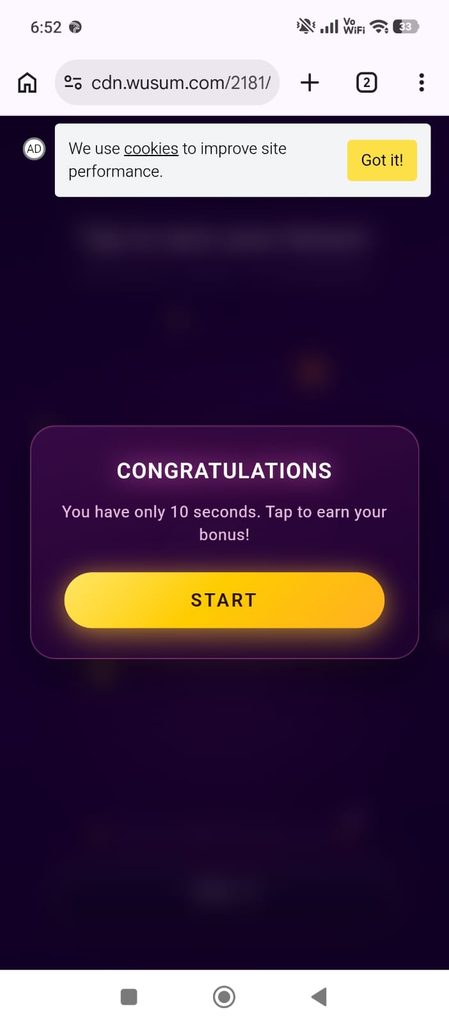

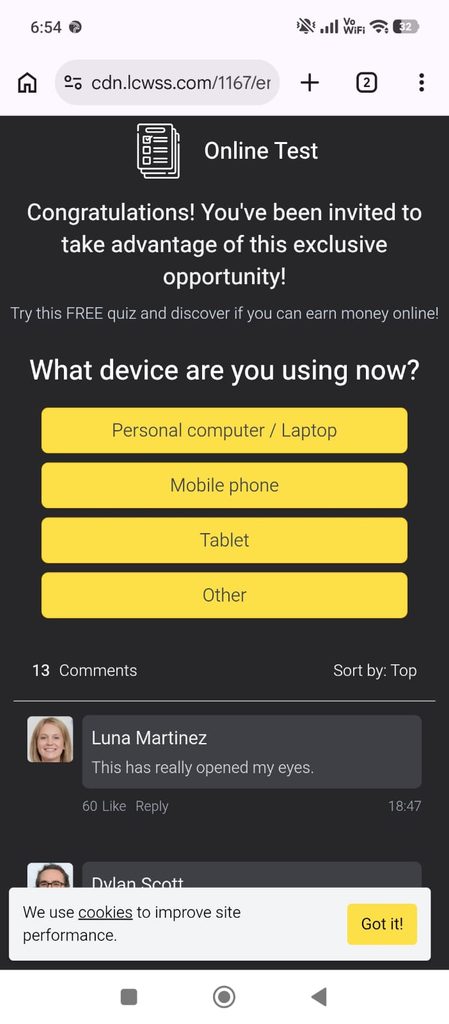
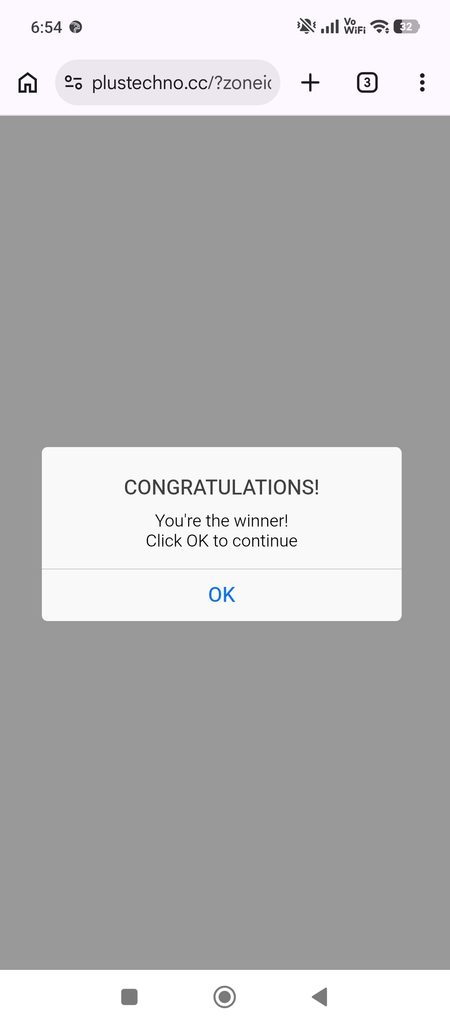
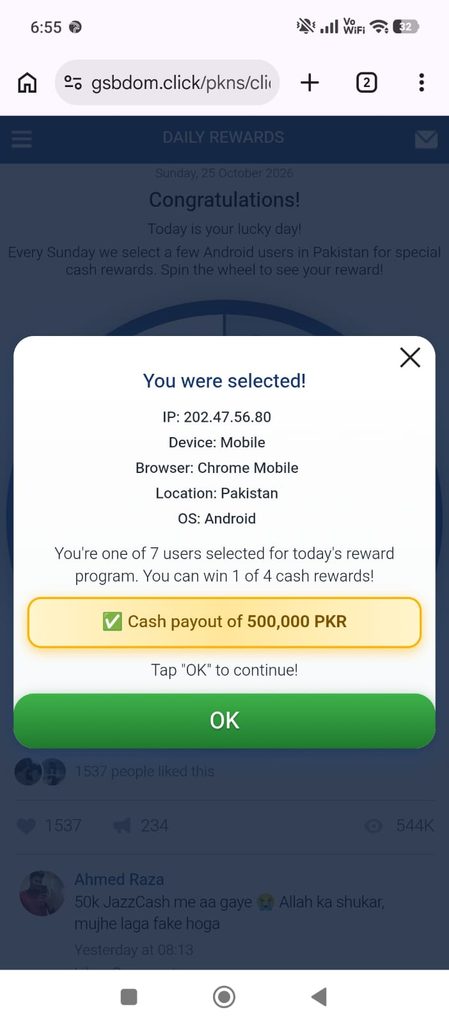
- These are all fake ads. Don’t tap anything on them. Don’t install any app, don’t add any browser extension, and never type your name, phone number or password. Just close those tabs and go back to the Get Delta Key tab.
- Step 5: Create Your Key
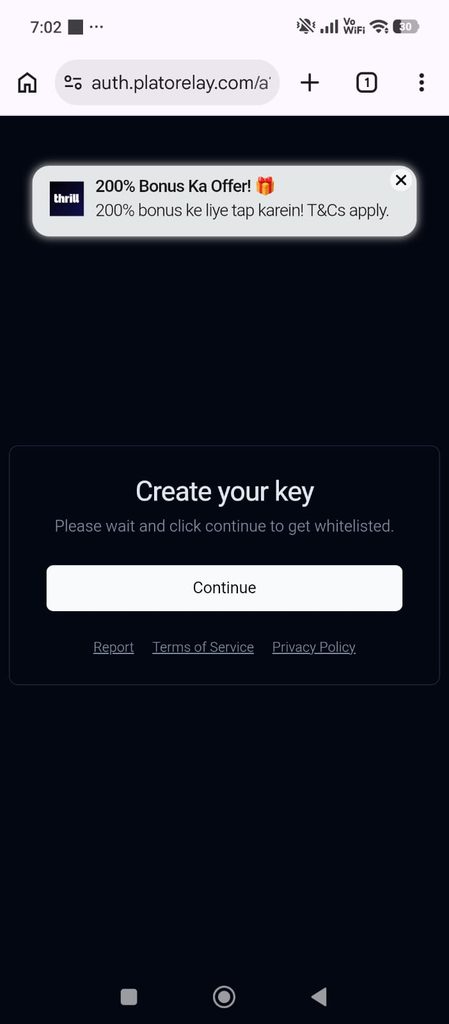
- After the task is done, you land on the “Create your key” page. It says “Please wait and click continue to get whitelisted.” Tap Continue.
- Step 6: Copy Your Key
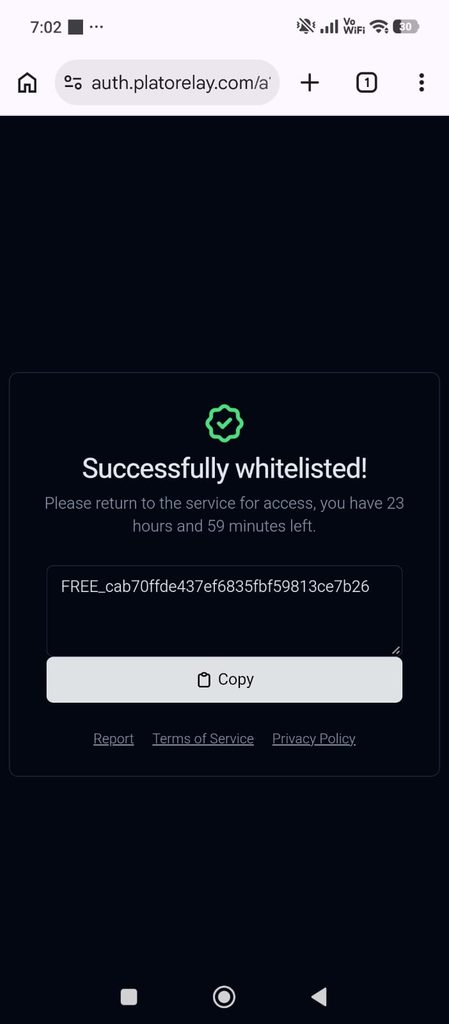
- You will see “Successfully whitelisted!” with a green check mark. Your key starts with FREE_, and it lasts for 23 hours and 59 minutes. Tap Copy.
- Step 7: Paste the Key in Delta
- Go back to Roblox. Paste your key into the Enter key box and tap Continue. That’s it! Delta is now open, and you can add your DOORS script.
- Tip: Your key works for 24 hours. After that, just do these steps again to get a new one.
How to Run Doors Script in Delta Executor
- Step 1: Tap the Delta icon, then tap the Home icon to open your script list.
- Step 2: Tap the blue Upload button. A window called “Enter Details” opens.
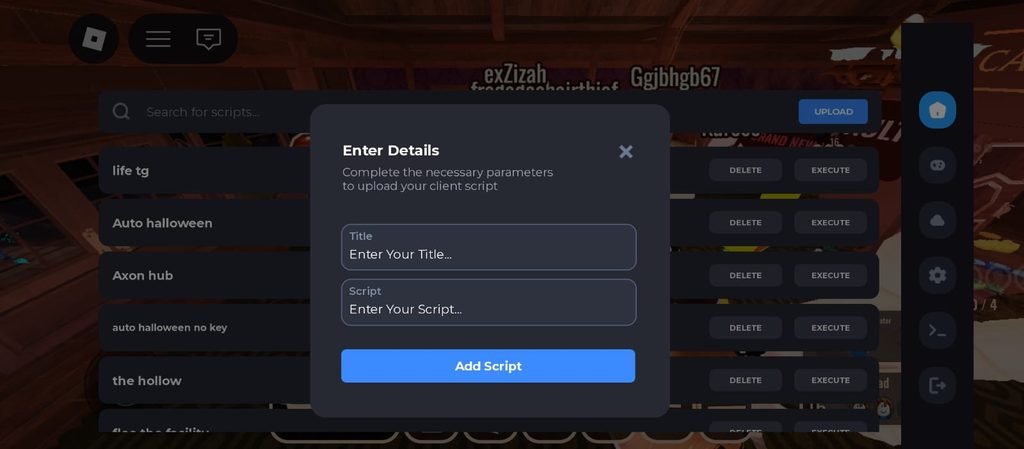
- Step 3: In the Title box, type a name like “The hollow door script 1”. In the Script box, paste the script you copied from this page. Then tap Add Script.
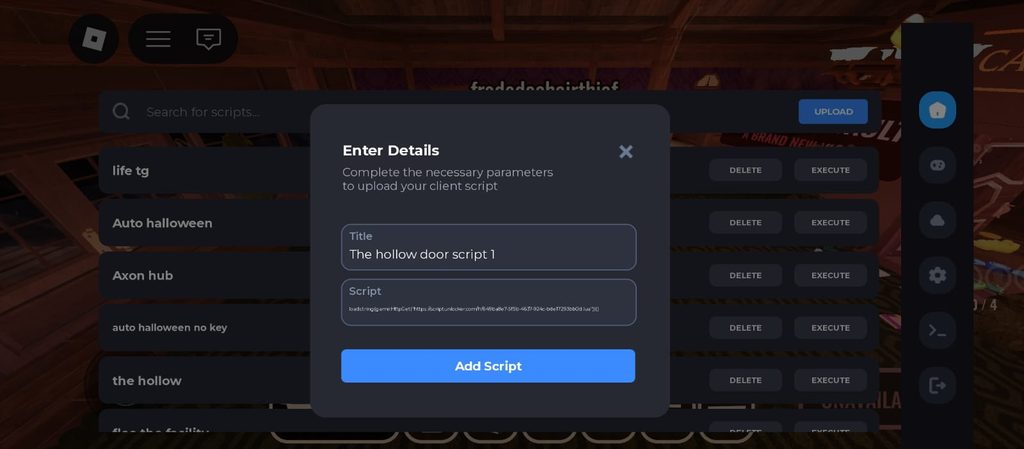
- Step 4: Your script now shows up in the list. Tap Execute next to it, and the script menu opens inside DOORS.
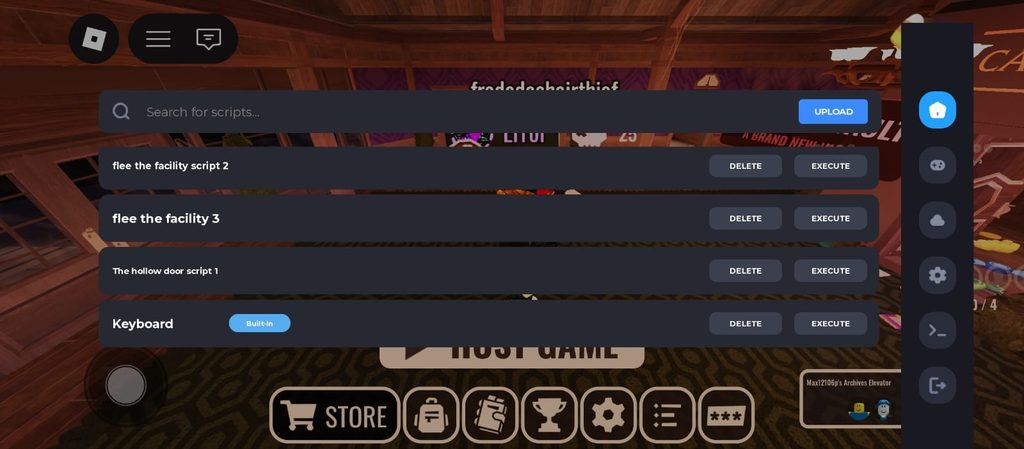
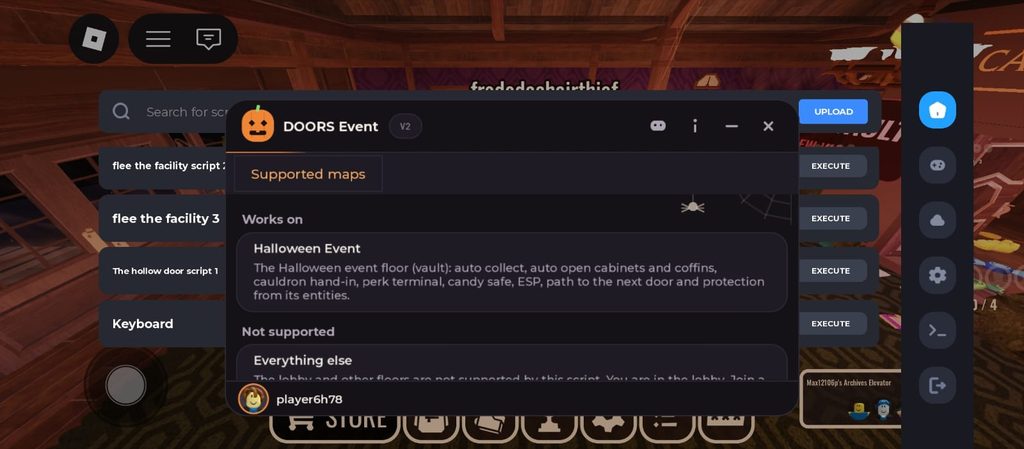
- When you tap Execute, the script opens a menu called DOORS Event V2, with a little pumpkin at the top. The first page you see is Supported maps, and it tells you exactly where this script works.
- Under Works on, it says Halloween Event. That’s the Candy Vault floor. Here the script can:
- auto collect candy
- auto open cabinets and coffins
- hand your candy in at the cauldron
- use the perk terminal
- open the candy safe
- show ESP, and draw a path to the next door
- protect you from the floor’s monsters
Under Not supported, it says Everything else. The lobby and normal floors won’t work with this script.
So here’s my tip, buddy: don’t panic if nothing happens in the lobby. That’s normal. Join the Halloween event run first, and then all the features come alive.
- This is the screen you see when you join the Halloween event. It says “LOADING” and “You’re invited to The Estate…” Behind the text, you can see Abe’s big, dark mansion with its glowing lamps.
- When you see this screen, you’re in the right place. Wait for it to finish loading, then open the DOORS Event menu. Now the script can start helping you collect candy and stay away from the monsters inside the Estate.

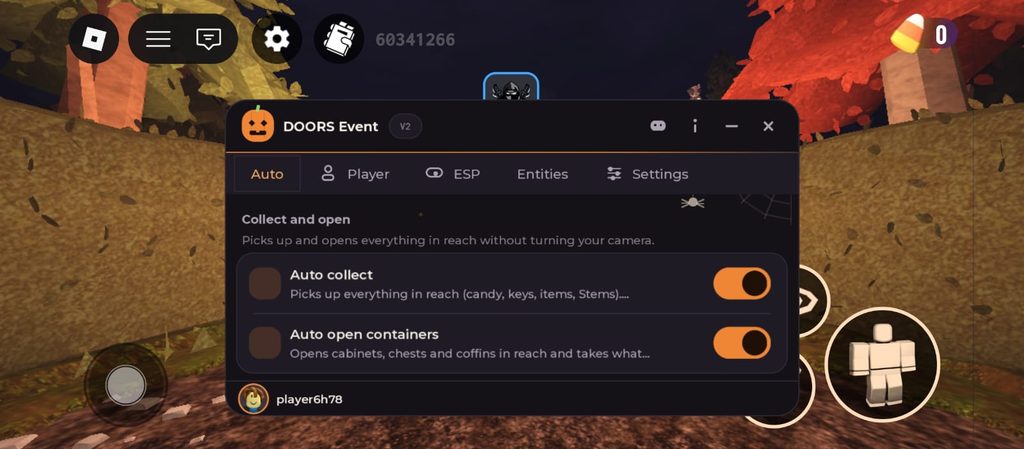
Once you are inside the Estate, the menu shows five tabs at the top: Auto, Player, ESP, Entities and Settings. The first one, Auto, does the boring work for you. Its first section, Collect and open, says it “picks up and opens everything in reach without turning your camera.”
- Auto collect picks up everything near you: candy, keys, items and Stems. Normally, you have to walk up to every candy and tap it, one by one, while a monster could show up any second. With this on, you just walk through the room and the candy jumps into your bag.
- Auto open containers opens cabinets, chests and coffins near you and takes what’s inside. No more stopping at every drawer while your heart is pounding. You keep moving, and the loot comes to you.
See the candy counter in the top right corner? It shows 0 right now. These two features are what make that number go up fast.
The next section is Cauldron and perks. It says “the run’s candy pot pays for perks at the terminal.”
- Auto hand in: stand near the cauldron, and it hands in everything you are carrying for you. You don’t have to drop your candy in by hand while you look over your shoulder for monsters.
- Auto perk: sit down at the terminal, and it buys the most expensive perk your candy can pay for. Perks make your run stronger, and you don’t have to guess which one to pick. The script picks the best one you can afford.
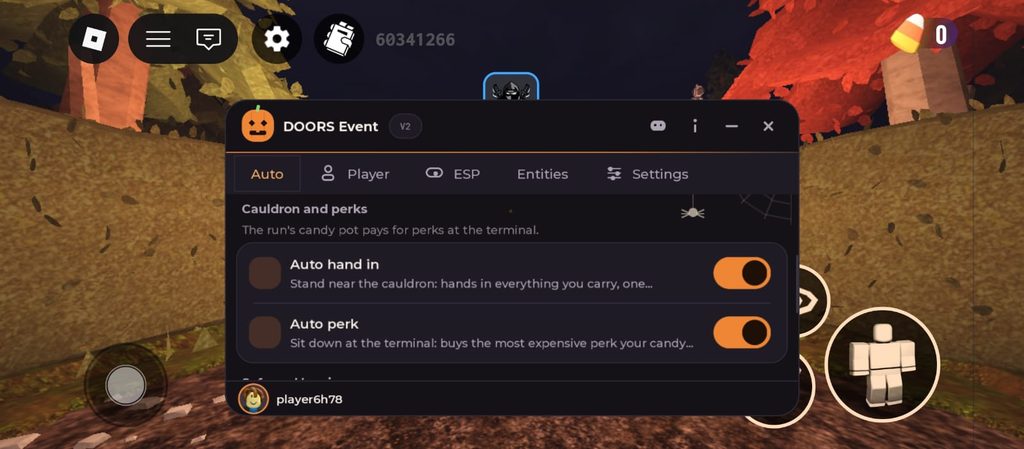
The last section is Safe and barriers, and this is where the Candy Vault gets easy.
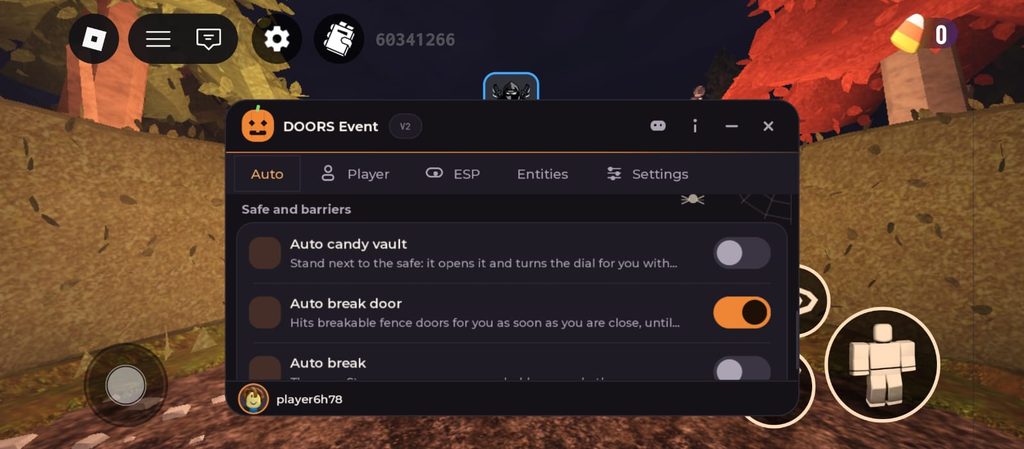
- Auto candy vault: stand next to the safe, and it opens it and turns the dial for you. Cracking the vault yourself is hard and takes time, and every second you wait is a second a monster can find you. This does it for you.
- Auto break door: hits breakable fence doors for you as soon as you get close. You don’t get stuck hitting a fence while something chases you. You walk up, and the fence breaks.
- Auto break: throws a Stem away as soon as you hold one. Your hands stay free, so you can keep running and grabbing candy.
In my screenshot, Auto break door is turned on (orange), and Auto candy vault and Auto break are off (grey). Just tap a switch to turn it on when you need it.
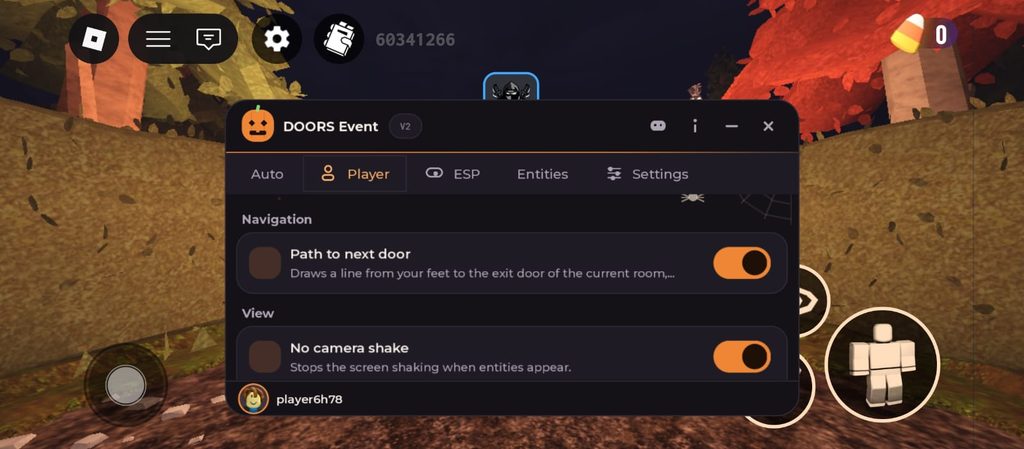
The second tab, Player, helps you move through the Estate without getting lost or scared.
Under Navigation:
- Path to next door draws a line from your feet to the exit door of the room you are in. The Estate is full of rooms that all look the same, and when Rush is roaring behind you, you don’t have time to look around for the way out. Just follow the line, and it takes you straight to the next door.
Under View:
- No camera shake stops the screen from shaking when monsters show up. Normally your screen shakes so hard you can barely see where you’re going. With this on, your view stays still, so you can run to a closet without bumping into walls.
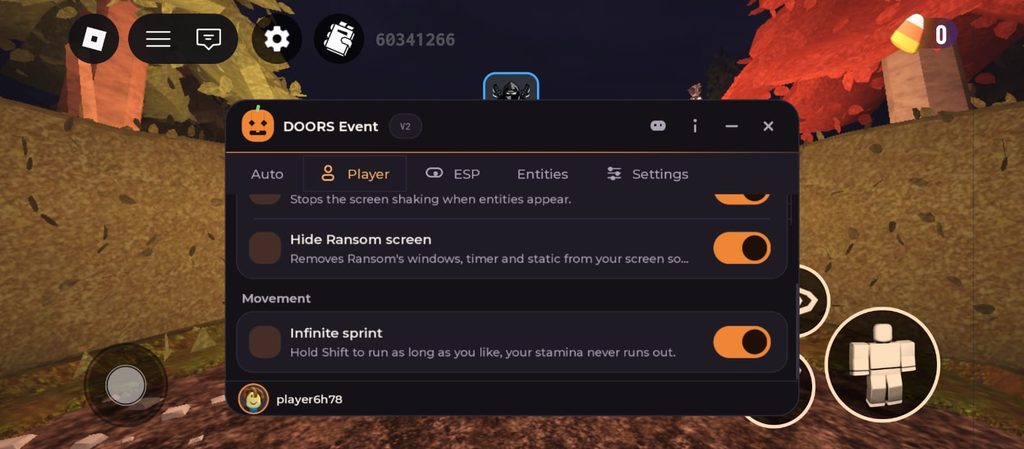
- Hide Ransom screen removes Ransom’s windows, timer and static from your screen. When Ransom shows up, your screen fills with scary pop-ups and fuzzy static, and you can’t see a thing. This keeps your screen clean, so you can still see where you’re walking.
Under Movement:
- Infinite sprint: hold Shift to run as long as you like, and your stamina never runs out. In DOORS, your running energy runs out fast, and then you slow down at the worst moment, right when Seek is behind you. With this on, you never get tired, so you can outrun the chase and reach the next door safely.
The third tab, ESP, lets you see things through walls. The first section is Event objects, and it says “labels with the distance, drawn through walls.” So you see a label on each thing, and how far away it is, even if a wall is in the way.
- Candy shows candy lying around, on tables and on the floor. The Estate is dark, and candy is easy to miss in a corner. With this on, every piece of candy has a label, so you know exactly where to go and you never leave candy behind.
- Other items shows everything else you can pick up. If there’s something useful in the room, you’ll spot it right away instead of searching every corner while monsters are close.
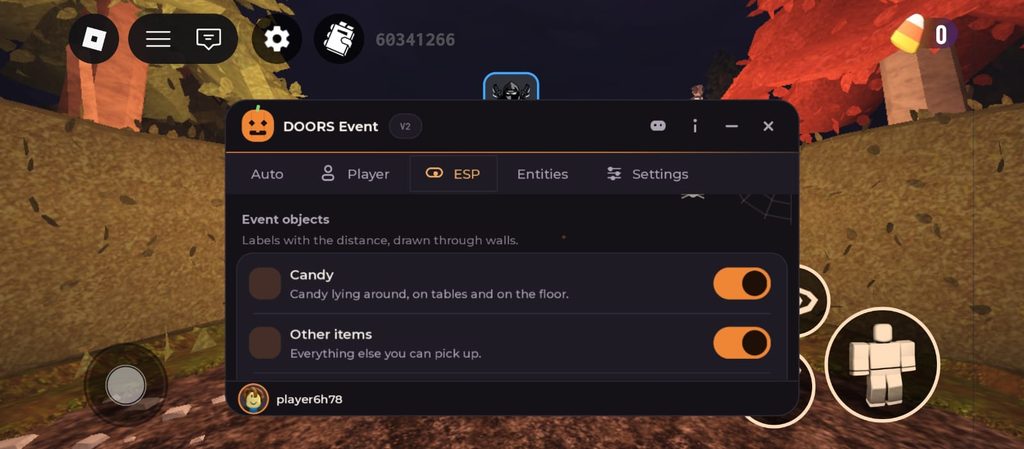
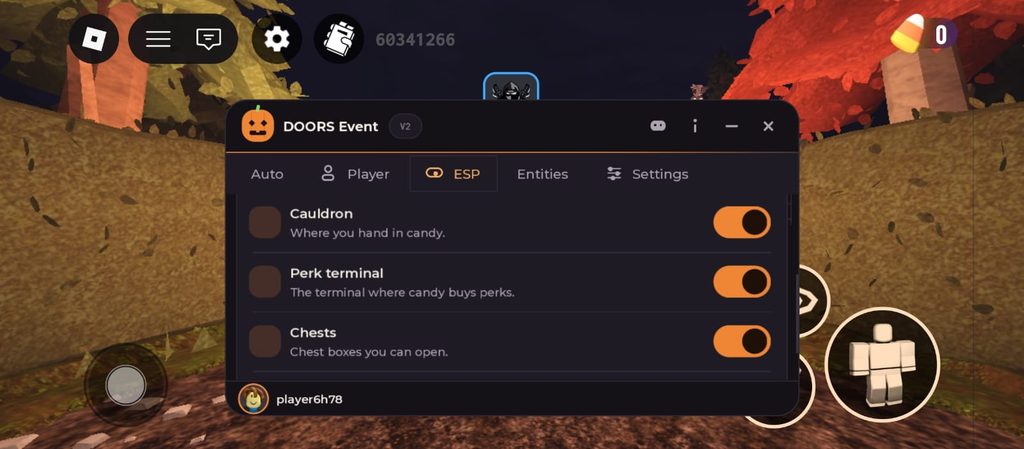
- Cauldron shows where you hand in candy. When your bag is full, you don’t have to wander around looking for it. You see the label and walk straight there.
- Perk terminal shows the terminal where candy buys perks, so you can go spend your candy on a perk fast.
- Chests shows chest boxes you can open. Chests have loot inside, and now you won’t walk past one by mistake.
- Skeleton key shows keys for the vault locks. You need these keys to open the vault. Without ESP, finding them can take a long time. With it, you see exactly where each key is.
In my screenshots, all six ESP options are turned on (orange).
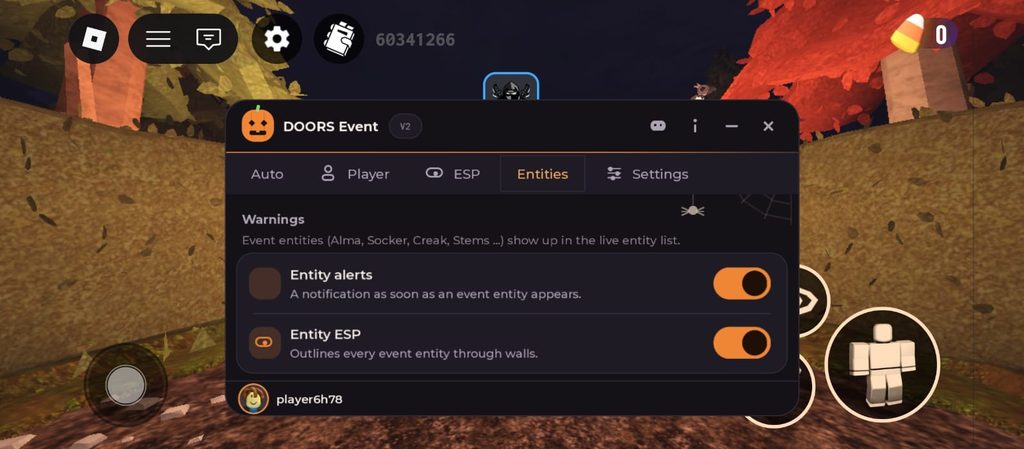
The fourth tab, Entities, is all about the monsters. The first section is Warnings, and it says event monsters like Alma, Socker, Creak and Stems show up in a live list, so you always know who is around.
- Entity alerts sends you a message as soon as an event monster appears. In DOORS, most monsters give you only a second or two to react. This alert gives you a head start, so you can hide or run before it’s too late.
- Entity ESP outlines every event monster through walls. You can see where a monster is, even when it’s in the next room, so you never walk right into it by mistake.
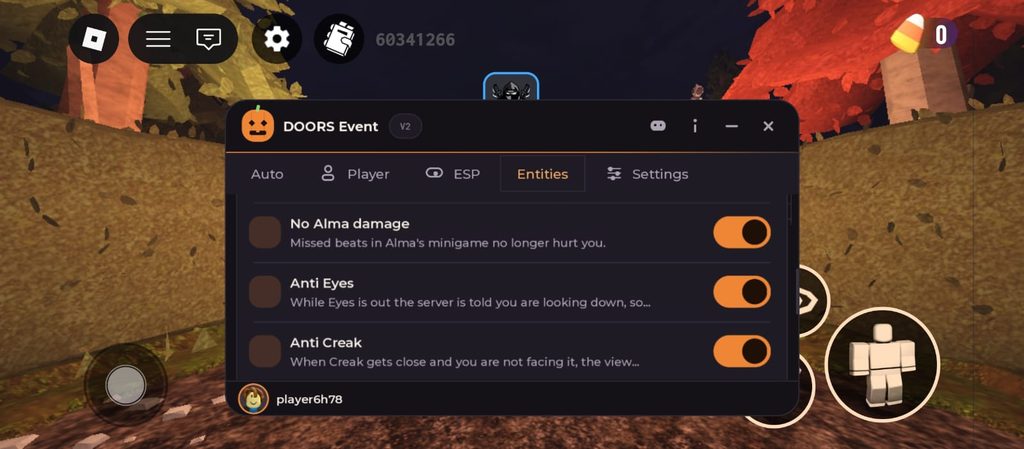
The next section is Protection, which says “automatic help against event entities.” These switches protect you from monsters that normally hurt you.
- Anti Screech removes Screech the moment it appears, so it never jumps at your face. Screech hides in dark rooms and bites you if you don’t look at it fast enough. With this on, you don’t have to worry about it at all.
- No Alma damage: Alma has a minigame where you have to hit the beats. If you miss a beat, it normally hurts you. With this on, missed beats don’t hurt you anymore.
- Anti Eyes: when Eyes is out, looking at it hurts you, so normally you have to stare at the floor while you walk. This tells the game you are looking down, so you stay safe and can still see where you are going.
- Anti Creak helps when Creak gets close and you are not facing it. Now Creak can’t sneak up behind you and catch you off guard.
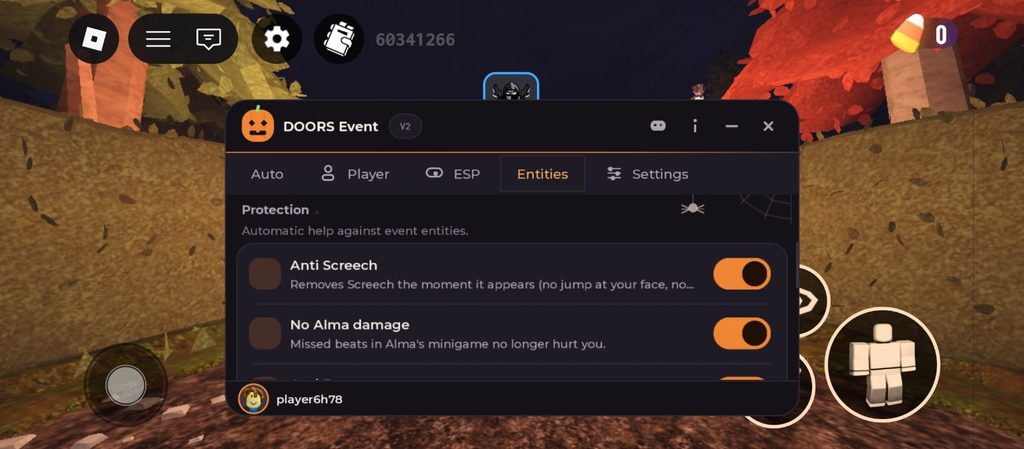
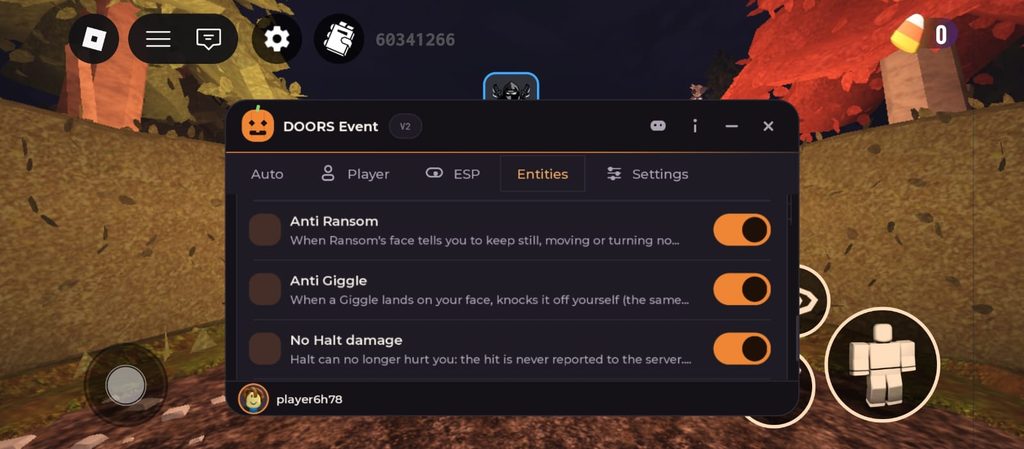
- Anti Ransom: Ransom’s face tells you to keep still, and normally moving or turning gets you hurt. This protects you, so you don’t have to freeze in place while other dangers are around.
- Anti Giggle: when a Giggle lands on your face, this knocks it off for you. Normally you have to shake it off yourself while it hurts you.
- No Halt damage: Halt can’t hurt you anymore, because the hit never reaches the game.
- Anti Halt runs away from Halt along the hallway and turns around for you. In Halt’s hallway, you have to keep turning back and forth when the screen tells you to. This does it for you, so you get through the hallway safely.
In my screenshots, all the Entities features are turned on (orange). The script maker calls this protection “experimental,” so it may not work every single time. Keep your eyes open, and always hide when you can.
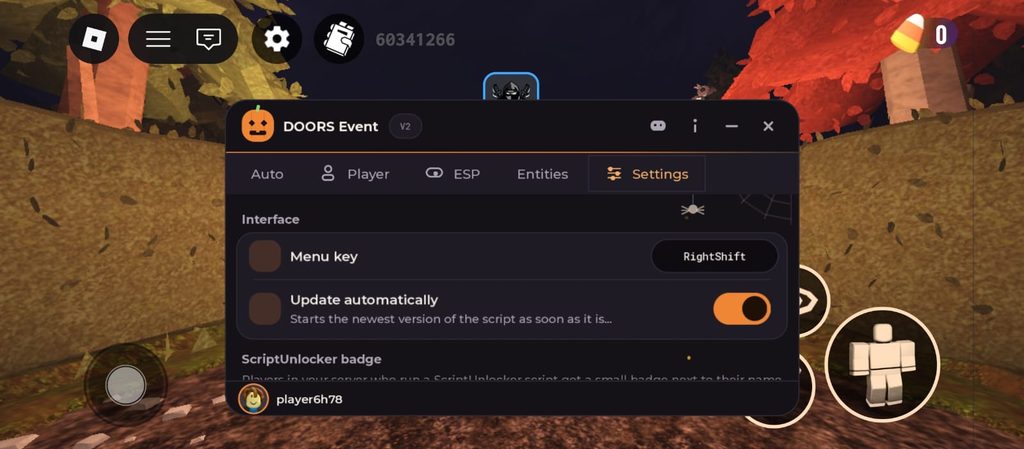
The last tab, Settings, is where you set up the menu the way you like it. The first section is Interface.
- Menu key is set to RightShift. On PC, press this key to show or hide the menu. When a monster is chasing you, the menu can block your view, so one key press hides it and lets you see the room clearly.
- Update automatically starts the newest version of the script as soon as it comes out. DOORS gets updates often during events, and old scripts can stop working. With this on, you always get the latest version without having to copy the script again.
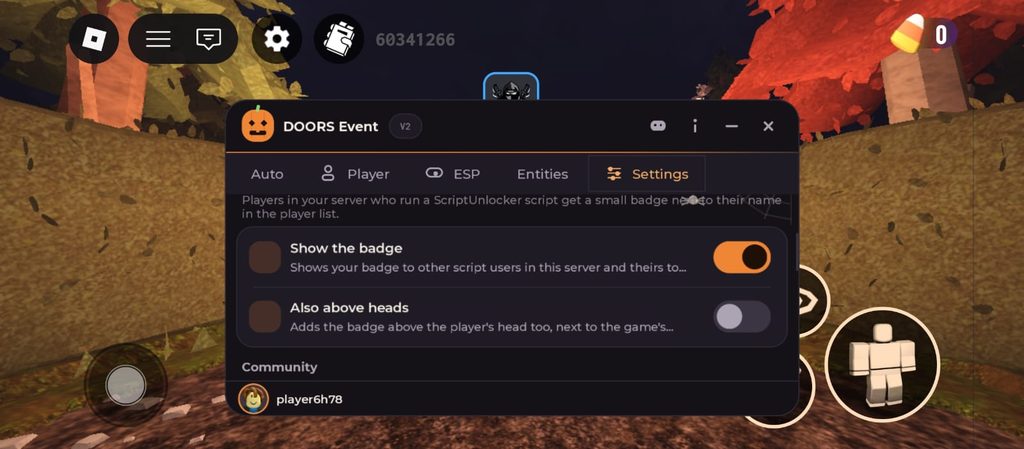
The next section is ScriptUnlocker badge. It says that players in your server who run a ScriptUnlocker script get a small badge next to their name in the player list.
- Show the badge shows your badge to other script users in your server, and shows you theirs too. In my screenshot, it is turned on.
- Also above heads adds the badge above the player’s head too, next to the game’s name tag. In my screenshot, it is turned off.
My tip: if you don’t want other players to know you’re using a script, turn both of these off.
- Under Community, there is a Join our Discord button. It sends the invite to your Discord app or copies the link. This is where you get updates, new scripts and help from other players.
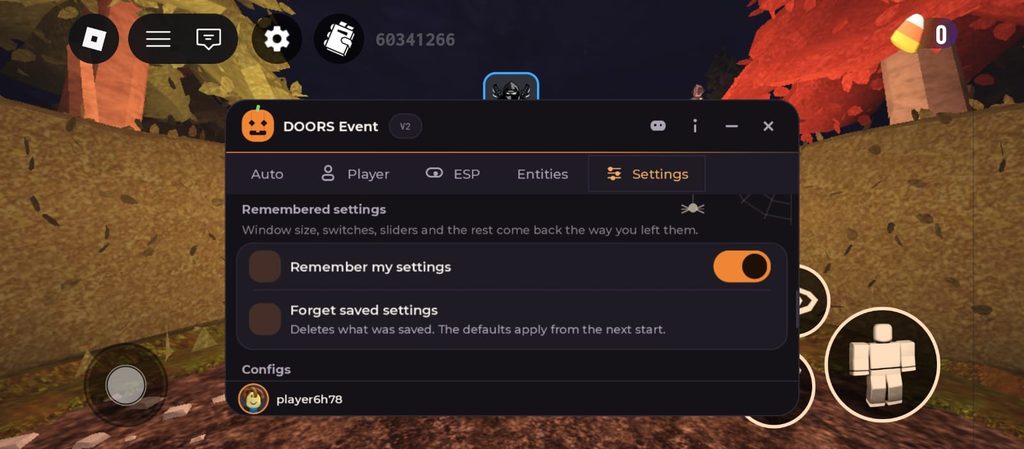
- Under Remembered settings, the menu remembers your window size, switches and sliders, so everything comes back the way you left it.
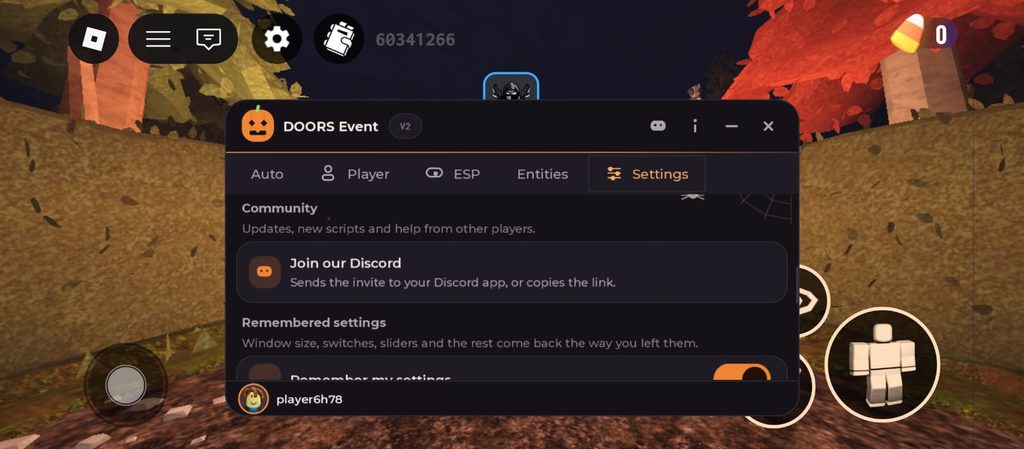
- Remember my settings keeps all your choices saved. Next time you join the Estate, your favourite features are already turned on, so you don’t have to turn them on one by one again.
- Forget saved settings deletes what was saved, and the normal settings come back from the next start. Use it if something feels wrong and you want a fresh start.
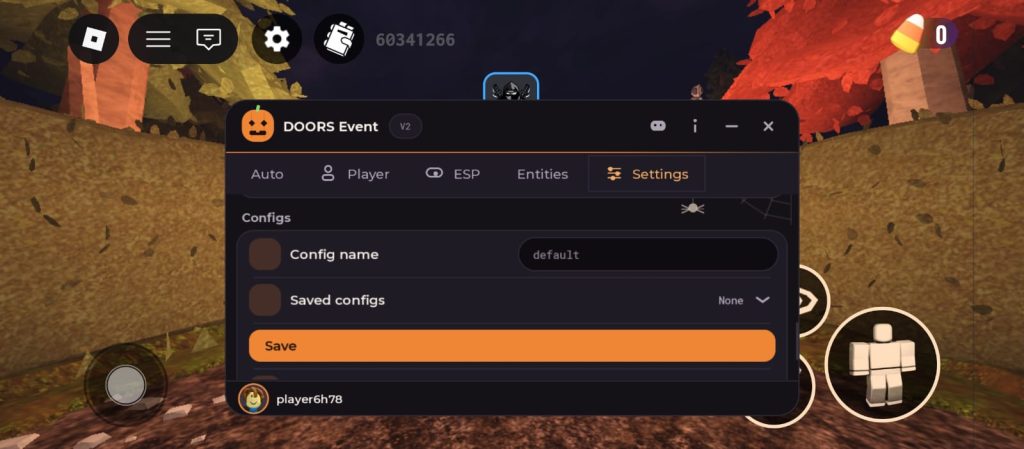
The last section is Configs. A config is a saved set of your favourite switches.
- Config name: type a name for your setup. Here it says “default”.
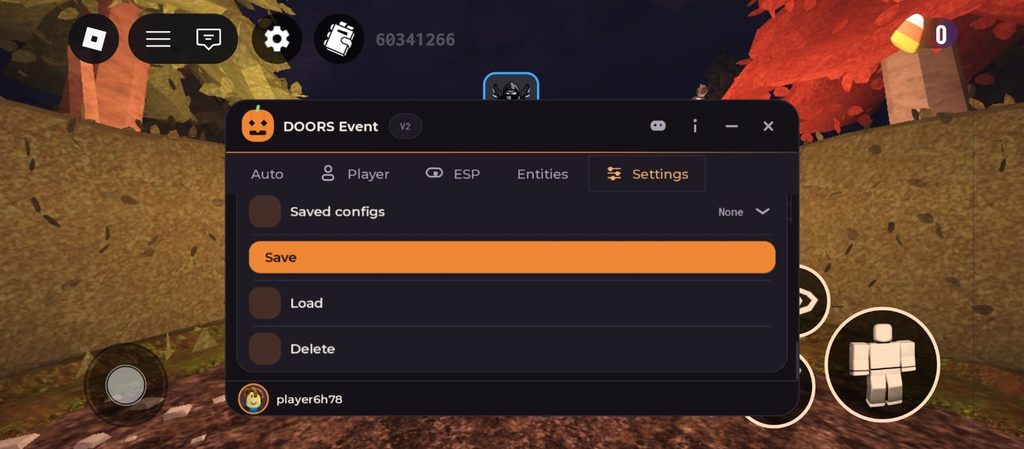
- Saved configs: shows the setups you have saved. Right now it says “None”.
- Save: saves your current switches under that name.
- Load: brings back a setup you saved before.
- Delete: removes a saved setup you don’t need anymore.
For example, you can save one setup for collecting candy fast and another one just for staying safe from monsters, and switch between them in one tap.
How to Get the All-Seeking Antlers With This Script (Easy Guide + YouTube Video)
The All-Seeking Antlers are a free hat from The Hollow event. To get them, you need to escape the Candy Vault by reaching Door 50. You also get the event badge and 10 Hollow tickets.
Step 1: Join the Halloween event. Start the Halloween event run in DOORS. When you see “You’re invited to The Estate…” on the loading screen, you’re in the right place.
Step 2: Turn on your helpers. Open the DOORS Event menu and turn on Auto collect, Auto open containers, Candy ESP, Path to next door and Infinite sprint.
Step 3: Grab the candy. Walk through each room. Candy ESP shows you where the candy is, and Auto collect picks it up for you. Auto open containers opens cabinets, chests and coffins as you walk by.
Step 4: Hand in your candy. When your bag is full, follow the Cauldron label and stand next to it. Auto hand in drops all your candy in.
Step 5: Buy a perk. Follow the Perk terminal label and sit down. Auto perk buys the best perk your candy can pay for.
Step 6: Find the keys and open the vault. Skeleton key ESP shows you the keys. When you reach the safe, stand next to it, and Auto candy vault turns the dial for you.
Step 7: Go all the way to Door 50. Follow the Path to next door line from room to room. Entity alerts warn you when a monster comes, and the Protection switches help keep you safe. Keep going until you reach Door 50.
Want to see the full run? Watch this video. It shows every room, all the way to getting the Antlers.
DOORS Monsters in the Candy Vault and Which Feature Helps
DOORS has lots of scary monsters. Here’s what each one does, and which feature of this script helps you.
- Screech: hides in dark rooms and bites you if you don’t look at it fast. Anti Screech removes it right away.
- Eyes: looking at it hurts you. Anti Eyes tells the game you’re looking down, so you stay safe.
- Halt: traps you in a long hallway where you have to turn back and forth. No Halt damage and Anti Halt get you through.
- Giggle: drops onto your face from the ceiling. Anti Giggle knocks it off.
- Ransom: fills your screen with windows and static, and tells you to keep still. Hide Ransom screen and Anti Ransom keep you safe.
- Alma: has a beat game you have to play. No Alma damage means missed beats don’t hurt you.
- Creak: sneaks up behind you. Anti Creak helps when it gets close.
- Rush, Seek and Figure: this script has no switch for them. Hide in a closet when Rush roars, use Infinite sprint to run from Seek, and walk quietly near Figure. Path to next door helps you find the exit fast.
Note: this script has no full god mode, so it can’t stop every monster. You still need to hide and run sometimes.
FAQs
What is the best DOORS script for The Hollow event?
The best one I tested is the Graizy DOORS Event script. It collects candy, hands it in, buys perks, opens the vault and protects you from event monsters.
Is there a DOORS script with no key?
Yes. The Graizy script needs no key of its own. You only need your free Delta key.
Does this DOORS script work on mobile and PC?
Yes. I tested it on my Android phone with Delta Executor, and all the features worked inside the Candy Vault. On PC, you can use it by installing an Android emulator and running Delta inside it. Follow our Delta Executor for PC guide to set it up.
Is there a DOORS god mode script?
This script doesn’t have full god mode. It protects you from Screech, Eyes, Halt, Giggle, Ransom, Alma and Creak, but not from Rush, Seek or Figure.
Is there a DOORS script with Auto Win or Spawn Items?
Not this one. It helps you collect candy and stay safe, but it doesn’t win the run for you or spawn items. I’ll add more scripts after I test them.
Can I get a DOORS script on Pastebin?
Some DOORS scripts are on Pastebin, but many are old or broken. The script on this page is the newest one for The Hollow event.
How do I get the All-Seeking Antlers in DOORS?
Reach Door 50 in the Candy Vault during The Hollow event. You get the Antlers, the event badge and 10 Hollow tickets.
Is scripting illegal in Roblox?
It’s not against the law, but it is against Roblox rules. Roblox can ban your account, so always use an alt account.
Is Roblox DOORS ok for kids?
DOORS is rated Mild for fear and violence. It has jump scares, loud sounds and flashing lights, so younger kids may find it scary.
Should You Use DOORS Scripts? Is It Worth It?
If you keep losing your candy to monsters, or you want to finish The Hollow event before it ends, this DOORS script is worth trying.
It does the boring work for you, like collecting candy, handing it in and opening the vault, so you can focus on reaching Door 50 and getting your Antlers.
New Roblox scripts
 Break and Steal an Egg Script: Auto Break, Auto Steal, Auto Treadmill & Auto UpgradeBreak and Steal an Egg
- Flee the Facility Script (No Key): Anti-Error, ESP, Teleports & SpeedFlee the Facility
- The Hollow Script (No Key, 2026): Auto Solve Maze, Auto Claim UGC and Free Tickets | RobloxThe Hollow
- Steal an Egg Script (No Key, 2026): Auto Steal, Auto Hatch, Auto Farm, Egg ESP and Every HubSteal an Egg

Leave a Reply